

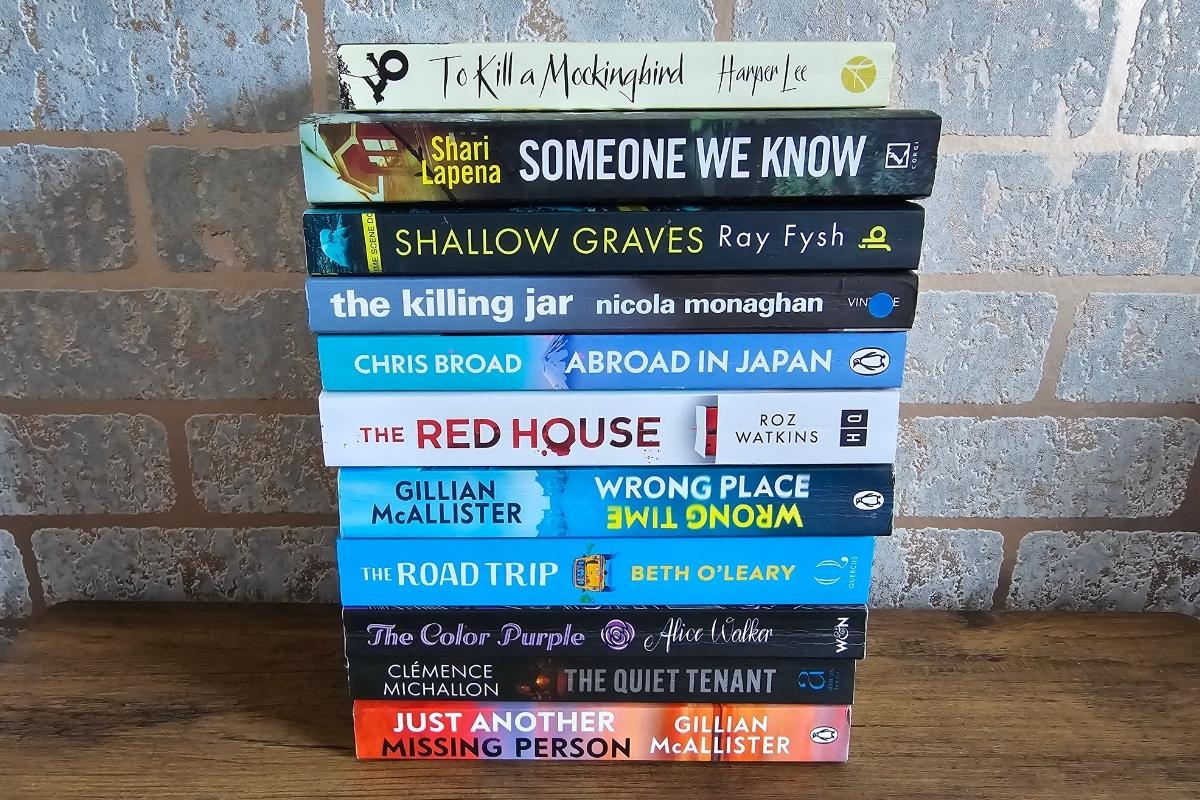
We have all been there. You are standing in a bookshop, holding a paperback that looks fantastic. You read the blurb and think it sounds perfect. You take it to the counter, buy it, and drive home. Then you walk to your bookshelf and realise you already own it. In fact, you read it three years ago.
Or perhaps a friend asks you for a recommendation. You know you read a brilliant mystery novel last summer, but the title has completely vanished from your memory. You can remember the cover was blue, but that does not help much.
This is where book tracking apps come in handy. These tools are not just digital lists. They are powerful pocket libraries that help you organise your reading life. They track what you have read, what you want to read, and even how fast you read.
For many years, writing titles in a notebook was enough. But digital apps offer things a notebook cannot. They give you charts, reading challenges, and suggestions for what to pick up next. Whether you are a casual reader or someone who devours a book a week, there is an app that fits your style.

Here is a guide to the best apps for recording your reading journey.
1. Goodreads: The massive community choice
If you have looked for book reviews online, you have likely landed on Goodreads. It is the oldest and largest social network for readers. Amazon owns it, which means its database is enormous. If a book exists, it is almost certainly on Goodreads.
How it works
Goodreads works on a simple shelf system. You have three main shelves. These are Read, Currently Reading, and Want to Read. You can search for a title and tap a button to add it to one of these lists. When you finish a book, you can give it a star rating out of five and write a review.
Key features
One of the most useful tools is the barcode scanner. If you are in a shop, you can scan a book’s cover to see reviews instantly. This saves you from buying a book that everyone else hated.
Goodreads is also famous for its Yearly Reading Challenge. You set a goal for how many books you want to read in a year. The app tracks your progress and tells you if you are ahead or behind schedule. It creates a sense of accountability that many users love.
Who is it for?
Goodreads is for the social butterfly. If you want to see what your friends are reading or join discussion groups, this is the place to be. However, some users feel the design looks a bit old-fashioned compared to newer apps.
Cost: Free.
Availability: iOS, Android, and Web.
Learn more: Goodreads Website
2. The StoryGraph: The data lover’s dream
The StoryGraph is often seen as the main rival to Goodreads. It was built by a small team that wanted to offer something different. While Goodreads focuses on social interaction, The StoryGraph focuses on you and your reading habits. It is excellent if you do not care about what others are reading and just want to understand your own tastes.
How it works
Like other apps, you can track what you read. But The StoryGraph goes much deeper. It asks you about the “mood” of the book. Was it adventurous? Funny? Dark? Tense? Over time, the app builds a profile of your reading style.
Key features
The charts are the star of the show here. The app produces colourful pie charts and graphs that show you exactly what you read. You might learn that 60 percent of your books are fast-paced, or that you read more fiction in winter than in summer.
Another standout feature is the “Up Next” queue. If you have a pile of books to get through, you can list up to five of them in a specific order. This helps you plan your reading month.
The StoryGraph also has a very useful feature for sensitive readers. It provides user-submitted content warnings. This lets you know if a book contains difficult themes before you start reading.
Who is it for?
This is for the reader who loves statistics. If you get excited by graphs and data, you will love this app. It is also great if you want to leave the Amazon ecosystem, as it is an independent company.
Cost: Free, with a paid “Plus” version for extra stats.
Availability: iOS, Android, and Web.
Learn more: The StoryGraph Website
3. LibraryThing: The serious collector’s tool
LibraryThing markets itself as a “home for your books.” It is less like a social network and more like a professional catalogue. It is used by over 4,900 libraries, which tells you how robust it is. If you have hundreds or thousands of books in your house, this might be the tool you need.
How it works
The focus here is on cataloguing. You can add books to your library and edit the details to be extremely precise. It pulls data from Amazon and the Library of Congress. It allows you to tag books with specific keywords, making it easy to search your own collection later.
Key features
LibraryThing is known for its accuracy. It is not just about tracking what you read, but tracking what you own. You can note down if you have a first edition, or if a book is signed by the author.
It also has a feature called “Early Reviewers.” This programme gives members the chance to win free early-release books in exchange for a review. It is a nice perk for being an active member of the community.
Who is it for?
This is for the person with a personal library who wants to keep it organised. If you care about sorting your books by the Dewey Decimal System or just want a permanent record of every book you own, LibraryThing is the best choice.
Cost: Free.
Availability: iOS, Android, and Web.
Learn more: LibraryThing Website
4. Bookly: The habit builder
Most apps focus on the book itself. Bookly focuses on the time you spend reading. It acts like a fitness tracker but for your brain. If you are trying to build a daily reading habit or want to read more books per year, Bookly is designed to push you forward.
How it works
When you sit down to read, you open the app and press “Start Reading.” A timer begins to run. When you stop, you record the page number you reached. Over time, the app calculates your reading speed. It can tell you exactly how long it will take you to finish your current book based on your pace.
Key features
The real-time tracking is unique. It also allows you to play ambient sounds, like rain or forest noise, to help you concentrate while the timer runs.
Bookly produces impressive infographics. You can generate a report that shows how many hours you read this week or how many pages you conquered. You can easily share these images on social media.
It also helps you set goals. You can set a “Monthly Challenge” or a “Yearly Challenge,” and the app will send you reminders if you forget to read for a few days.
Who is it for?
This is for the goal-oriented reader. If you want to improve your attention span or simply want to know how much time you dedicate to books, Bookly is a fantastic companion.
Cost: Free for a limited number of books. A subscription is required for unlimited tracking.
Availability: iOS and Android.
Learn more: Bookly Website
5. Bookmory: The aesthetic diary
If you love making your notes look beautiful, Bookmory is the app for you. It serves as a visual diary of your reading life. It is less about data and more about memories. The design is clean, cute, and very easy to navigate.
How it works
Bookmory uses a calendar view. You can see your reading history at a glance. If you read a book on a specific day, the cover appears on that date in the calendar. It is very satisfying to see a month filled with book covers.
Key features
The app is excellent for saving quotes. We often read a sentence that moves us, only to forget it later. Bookmory lets you type out the quote or scan it with your camera. You can then put that text onto a beautiful background image to save or share.
It also handles all formats well. Whether you read paper books, e-books, or listen to audiobooks, Bookmory lets you track them all in one place. It backs up your data to the cloud, so you never lose your memories.
Who is it for?
This is for the visual thinker. If you enjoy scrapbooking or journaling, you will appreciate how Bookmory turns your reading list into a beautiful record.
Cost: Free, with a premium version available to remove ads.
Availability: iOS and Android.
Learn more: Bookmory on Google Play
6. Basmo: The smart assistant
Basmo is a newer app that uses modern technology to help you get more out of your books. It combines the tracking features of other apps with artificial intelligence (AI) to act as a reading coach.
How it works
Like Bookly, Basmo has a reading timer. It encourages you to read in sessions. But it goes a step further by helping you interact with the book. It has a chatbot that allows you to “talk” to the book you are reading to get summaries or ask questions.
Key features
The “Book Chat” is the standout feature here. If you are reading a complex novel and get confused about the plot, you can ask the AI to clarify things for you.
Basmo also places a heavy focus on note-taking. It allows you to scan pages to capture highlights instantly. It also includes an emotional tracker, where you can note how a book made you feel during each session. This adds a nice layer of depth to your tracking.
Who is it for?
This is for the tech-savvy reader who wants to engage deeply with the text. If you read to learn or study, the note-taking and AI features will be very useful.
Cost: Free, with a subscription required for full features.
Availability: iOS and Android.
Learn more: Basmo Website
Why bother tracking your reading?
You might wonder if this is just extra work. Is reading not supposed to be relaxing? Why add data entry to it? Here are three simple reasons why thousands of people use these apps.
1. It saves money
As mentioned earlier, buying duplicate books is a real risk for avid readers. A quick check of your app prevents wasted money. Also, by using the “Want to Read” list, you can plan your purchases better and wait for sales.
2. It helps you remember
We consume so much information today that it is easy to forget the details of a book. By writing a short review or saving a quote, you anchor that memory. Years later, you can look back and remember exactly why you loved a story.
3. It encourages you to read more
Life gets busy. It is easy to go weeks without picking up a book. Seeing your progress in an app gives you a little dopamine hit. It reminds you that reading is a priority. Watching your “Read” number go up is surprisingly motivating.
Frequently Asked Questions
Can I use these apps for free?
Yes. All the apps listed above have a free version. Goodreads and LibraryThing are entirely free. The StoryGraph, Bookly, Bookmory, and Basmo offer premium subscriptions, but their free versions are perfectly fine for most casual readers.
Can I import my data from Goodreads to other apps?
Yes. Since Goodreads has been around the longest, most new apps allow you to import your library. Usually, you have to export a file from your Goodreads account on a computer and then upload it to the new app. The StoryGraph is particularly good at this.
Do these apps work for audiobooks?
Yes. Most modern tracking apps allow you to select the format of the book. You can specify if you read a hardcover, paperback, e-book, or audiobook. Some, like The StoryGraph, even let you track the listening speed.
Which app is the best for privacy?
If you are worried about your data, The StoryGraph is often cited as a good choice because it is not owned by a massive corporation like Amazon. It does not sell your data to third parties. Always check the privacy policy of any app before you sign up.
Start your next chapter
There is no single “perfect” app. The best choice depends on what you want.
If you want a huge community and free access, stick with Goodreads.
If you want deep insights and charts, download The StoryGraph.
If you want to build a reading habit, try Bookly.
If you want a beautiful visual diary, go for Bookmory.
The most important thing is to keep reading. These tools are just there to help you enjoy the journey a little bit more. So, pick one, scan your current read, and get comfortable. You have a lot of pages to turn.